Features · Agencies, brand owners, and creators running more than one topic
Viral Content Agents: a standing TikTok researcher per topic
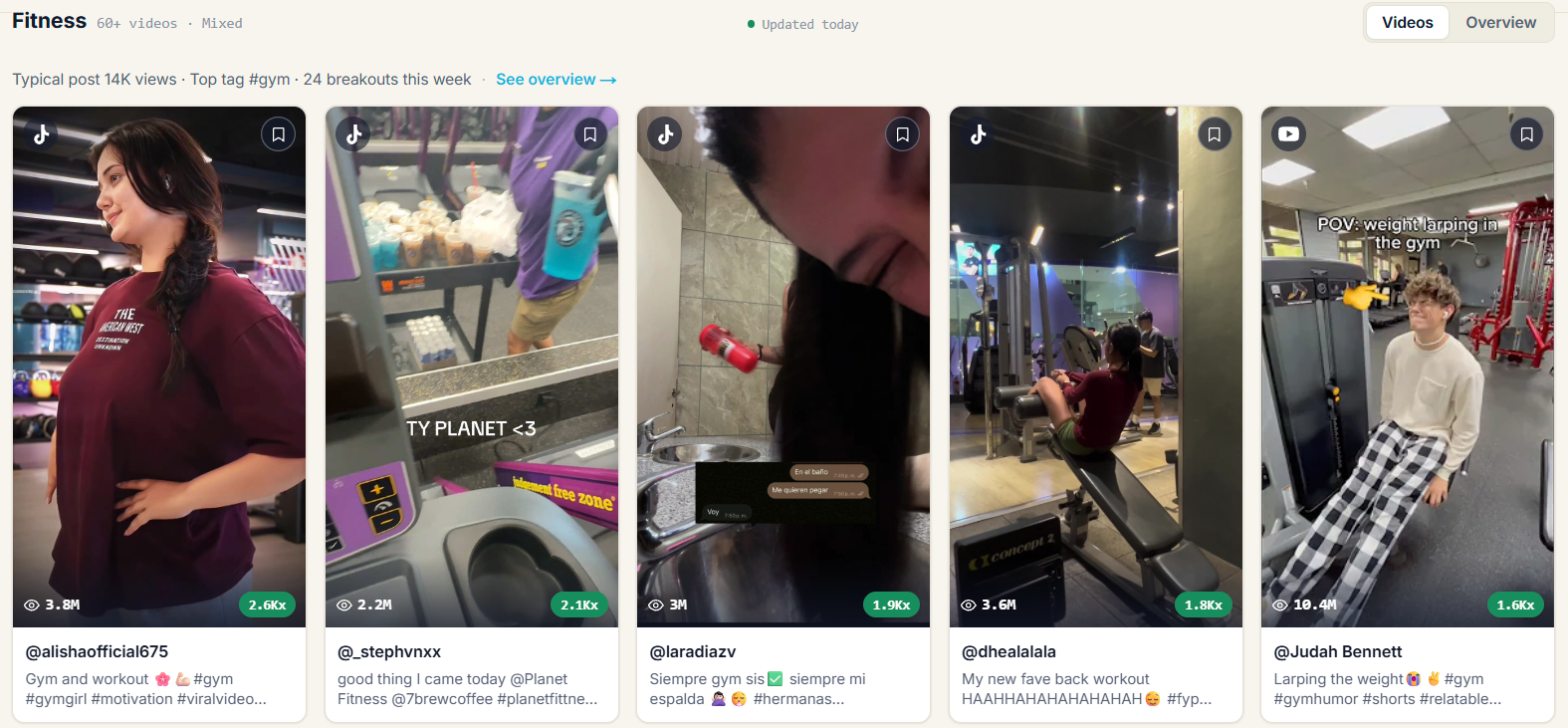
It is the difference between remembering to go and look, and having already looked. A Viral Content Agent is a name, up to 10 keywords, and a refresh cadence. Once created it watches TikTok and YouTube Shorts on your schedule and returns the top-performing videos in that topic, ranked by reach against the creator's own follower or subscriber count. Manual research does not scale past about three accounts and it decays the week whoever does it gets busy. An agent does not get busy.
Set up your first agent
Start a free trial, name your first agent and give it up to 10 keywords. It watches that topic on your schedule from then on. Running a client roster? Book an agency pilot and we scope the agents with you.
Used by 300+ creators, brands and agencies
- 1,000,000+ TikToks and Shorts tracked
- 100,000+ creators in our library
- 50,000+ hooks broken down
Found in our library
Top videos from the fitness, beauty and food niches, ranked the way the walls rank them: views divided by the creator's followers. Most videos do about 1×.
- 55.4×Fitness115K views from a 2,078-follower account
Hook pattern: HER [Body Part] VS
hook ends at 2.5s, 3 scenes, TikTok
- 353×Fitness4.9M views from a 14K-follower account
Hook pattern: When the [Place] is getting way too [Adjective]
hook ends at 2.1s, 16 scenes, TikTok
- 629×Beauty3.1M views from a 4,954-follower account
Hook pattern: remember... ([Topic] hacks)
hook ends at 1.4s, 4 scenes, TikTok
Library snapshot from Nov 12, 2026.
What this replaces
- Research time scales linearly with the number of topics you cover — every new client or pillar is another few hours a week of scrolling.
- What you find depends on what your own For You page decided to show you that day.
- The person who knows the niche best is the one with the least time to search it.
- By the time a format is obvious enough to notice, it is usually saturating.
How it works
- Name the agent and give it up to 10 keywords. Describe what you want to find and press Get keywords for suggestions, or type your own. Multi-word phrases like "gym transformation" count as one keyword — nothing splits on whitespace.
- Pick a refresh cadence: daily for fast-moving categories, weekly for evergreen ones.
- The agent searches TikTok and YouTube Shorts on that cadence and adds what it finds to a rolling library that grows over time rather than being wiped each night.
- Open the wall sorted by multiplier — outliers first, so a 40k-view post from a 2k-follower account ranks above a 400k-view post from a mega account.
- Edit the keywords whenever the topic shifts. Renaming is instant, and changing keywords removes only the videos no longer covered by any surviving keyword.
What you get
- One agent per client, per content pillar, or per competitor category
- A rolling library per agent that accumulates depth instead of resetting
- Multiplier ranking, so outliers surface before they saturate
- Viral YouTube Shorts on the same wall as TikToks, with a TikTok / Shorts / Mixed filter and a platform badge on every card
- TikTok slideshows on the same wall as videos, ranked by the same multiplier, with an All / Videos / Slideshows filter and a Slideshow badge on every slideshow card
- Your chosen refresh cadence per agent, not one global schedule
- Editing that never triggers a re-fetch, so an agent costs the same however often you change it
- Optional alerts in Slack, Discord or any webhook when an agent finds new videos, with the top five new posts in the message
Which plan you need
Business · 25 Viral Content Agents · 5,000 videos analyzed
Agent count is the tier differentiator. One agent covers a single topic; a client roster needs one per client, which is what the top tier is sized for.
- 5,000 videos analyzed, with hook, scenes and transcript
- 25 Viral Content Agents
- 500 AI scripts a month
- 200 viral-trend searches a month
- 25 seats
- Unlimited creators tracked
Questions
What exactly is an agent?
A named, saved search with a schedule. You give it a topic in up to 10 keywords and a cadence, and it keeps returning the best-performing videos in that topic without you opening anything.
How many keywords can one agent have?
Up to 10. Multi-word phrases count as a single keyword, so "index fund tutorials" is one, not three. More keywords cover more angles, each searched less deeply. You can also exclude topics you don't want to see.
What happens to an agent if I downgrade?
Nothing is deleted. You keep the most recently refreshed agents up to your new allowance and the rest are shown as paused. Upgrading un-pauses them.
Does an agent find YouTube Shorts too?
Yes. An agent's wall surfaces viral YouTube Shorts alongside TikToks, ranked by the same multiplier (views against subscribers instead of followers), and a platform filter switches between TikTok, Shorts or both. Breakout alerts and the weekly recap still cover TikTok only.
Does an agent find TikTok slideshows?
Yes. TikTok photo slideshows land on the agent's wall alongside videos and are ranked by the same multiplier, so a slideshow outlier from a small account surfaces the same way a video would. The All / Videos / Slideshows filter lets you study slideshows on their own, and each slideshow card carries a badge, with the slide count for photo slideshows. Run "Why it went viral" on one and you get a slide-by-slide breakdown: the cover, what each slide does, and what drives people to swipe through and save. On the creators you track, breakout alerts tag a slideshow as a slideshow.
Is this the same as a saved search?
A saved search re-runs when you remember to open it. An agent runs on its own schedule and builds a library over time, so what you get on Monday includes everything it found since Friday.
Try Viral Content Agents on your own account
Works inside Claude
Ask Claude what your agents found this week
FYPNow runs an MCP server, so Claude can browse niches, tear down a video’s hook and scene timings, check creator breakouts and draft scripts, calling the real data instead of guessing. No API key: you approve the connection in a browser and pick which workspace it acts on. Included on every paid plan.